Input to Your Inputs - What Invalidates Gradle Configuration Cache?
By now you have hopefully adopted Gradle’s configuration cache (CC) feature, and it is giving you huge speed-ups by skipping configuration phase for quick iterations such as tweaking your code and re-running tests.
Your experience with CC hit vs miss is drastically different, in one you are flying and in the other you are crawling. It is like switching between an electric bicycle and walking, but you don’t get to choose the mode of transport, thus your same trip varies wildly in length. The goal is to always use that electric bicycle!
After a while you will realize that your next challenge is minimizing the times you have a CC miss and this post is
about what goes into the CC inputs. Your new best friend will be configuration-cache-report.html that is generated by
Gradle and captures most of the inputs to your CC entries.
This report has the following categories of inputs:
- Gradle property: reading the value of a Gradle property through
Project.property("foo"),Project.providers.gradleProperty("foo"), or similar APIs - environment variable: reading the value of an environment variable through
System.getenv("foo")orProject.providers.environmentVariable("foo") - file system entry: checking for existence of a file or a directory through
File.exist(),File.isDirectory(), or similar APIs. - file - reading the contents of a file or a directory through
File.readText()or similar APIs. - system property: reading the value of a Java system property
System.getProperty("foo"). - value from custom source: reading the value of some external source through
ValueSourceAPI. - output of external process: getting output from an external process through
providers.exec {}
The key point here this report tracks reads and existence checks during the configuration phase. Therefore, using
providers for Gradle properties, environmental variables, and files as task input do not add them to inputs to a CC
entry. Namely, adding a new file to src/main/kotlin does not invalidate CC for a properly configured build.
The ideal state of this report is a nearly empty list. That is to say if you run the same task it should have a CC hit
unless you modified your build.gradle.kts files. That’s the state what it starts with if you have a simple project
that only applies Gradle java-library plugin. The only entry for this project’s CC is changes to
gradle/libs.versions.toml (FR to stop doing that)
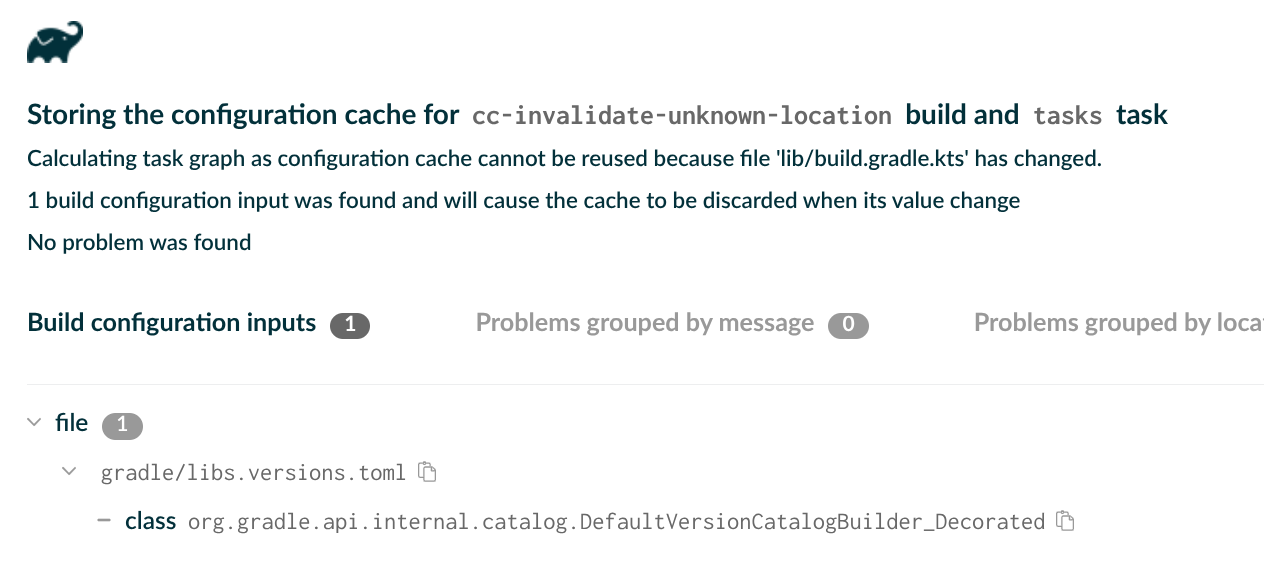
As soon as you apply any other plugins your CC inputs drastically increase. For example, after applying Kotlin JVM plugin you get the following report:
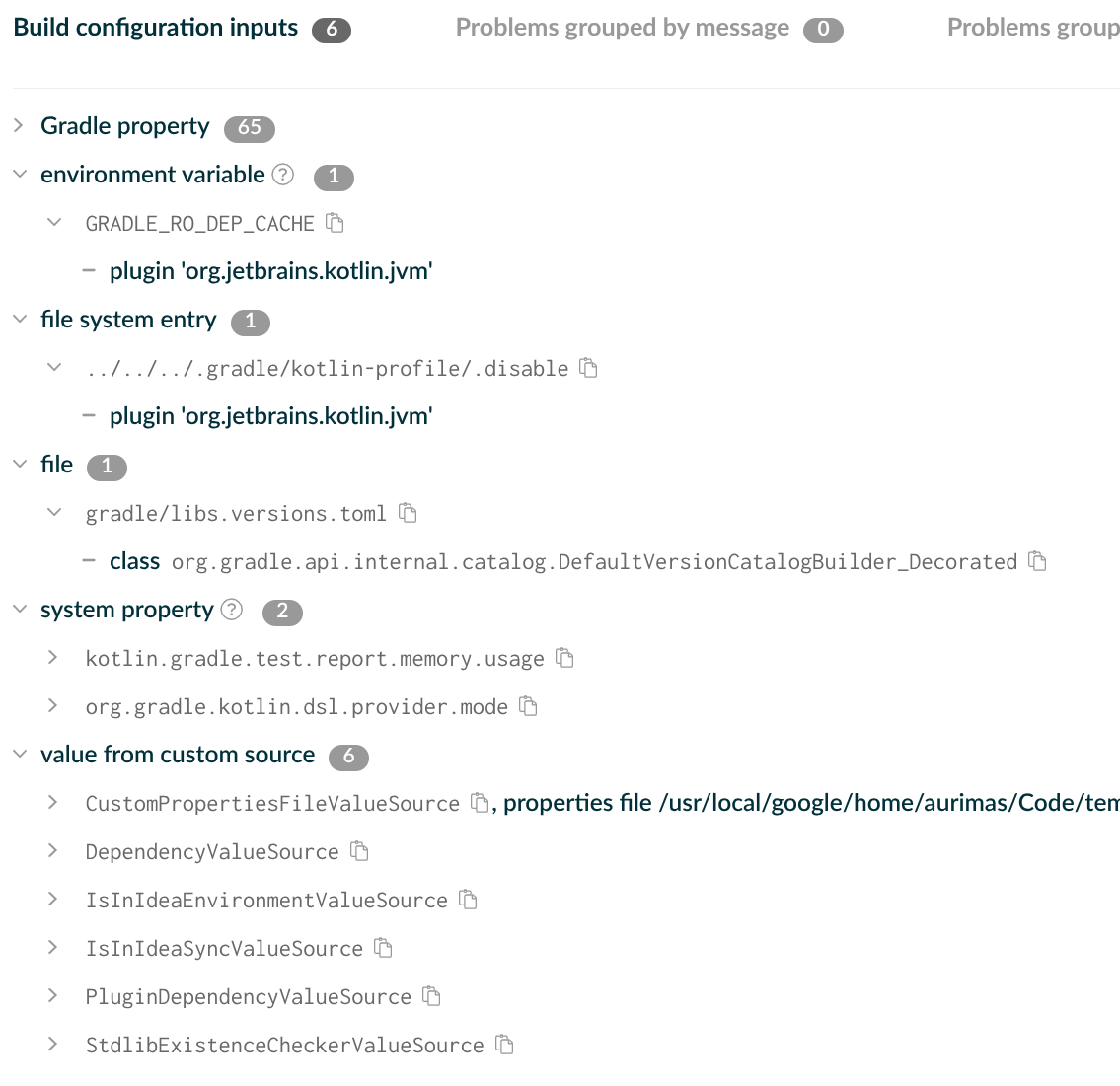
That means that changes to the values of these Gradle properties, environment variables, system properties will invalidate the CC entries.
It gets even worse if you accidentally turn the contents of your directories into CC input. Consider the following example:
if (kotlin.sourceSets.getByName("main").kotlin.files.isEmpty()) {
    // Do something
}
This is innocent looking until you find out that adding or removing new files in src/main/kotlin will now invalidate
CC, and it will give you an obscure message like:
Calculating task graph as configuration cache cannot be reused because an input to build file 'lib/build.gradle.kts' has changed.
Earlier, when I said that CC report captures most of the inputs to your CC entries, this is an example of something
that is not captured - FileCollection read during configuration time.
The best way to debug which FileCollections are added to CC inputs is to add a break point on captureWorkInputs
method in ConfigurationCacheFingerprintWriter.kt file in Gradle.
My call to action is to reduce the inputs to CC in your build as much as possible and report issues to plugins that cause excessive inputs!